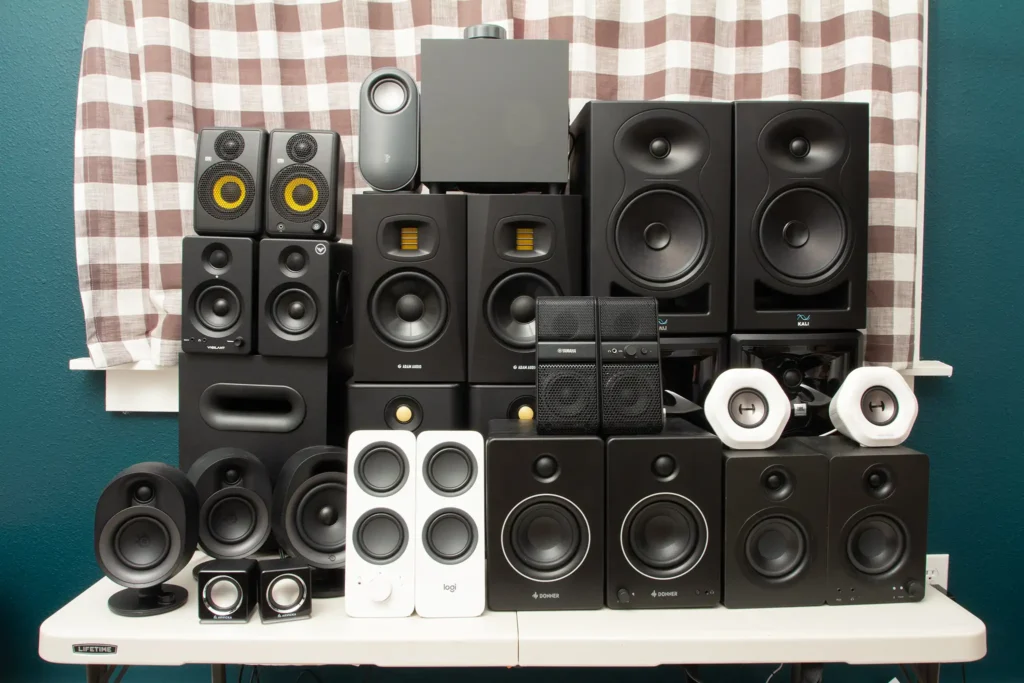
Laptop speakers are convenient, but they rarely deliver the clarity, stereo separation, or bass needed for enjoyable music, gaming, and movies. Here is how to choose computer speakers that match your desk, budget, and listening habits.
Computer audio is easy to overlook. People will spend hundreds of dollars on a monitor, keyboard, or graphics card while continuing to listen through the small speakers built into a laptop or display.
Those speakers may be acceptable for notification sounds and occasional video calls, but their physical size limits their ability to reproduce convincing bass, clear dialogue, and a spacious stereo image. Even an affordable pair of external speakers can make music fuller, voices easier to understand, and games considerably more immersive.
The challenge is deciding which type to buy. Some systems prioritize compact dimensions, while others add a powerful subwoofer. Studio-style monitors focus on accuracy, and wireless models make it easier to switch between a computer, phone, and tablet.
Recommended Computer Speakers at a Glance
| Speaker System | Recommended For | Configuration | Main Connections |
|---|---|---|---|
| Creative Pebble V3 | Small desks and everyday use | 2.0 stereo | USB-C, Bluetooth, and 3.5mm |
| Logitech Z407 | Wireless convenience and entertainment | 2.1 with subwoofer | Bluetooth, USB, and 3.5mm |
| Edifier MR4 | Content creation and detailed music | Powered studio monitors | TRS, RCA, and 3.5mm AUX |
| Klipsch ProMedia 2.1 THX | Gaming, movies, and powerful bass | 2.1 with subwoofer | 3.5mm input |
Understanding 2.0 and 2.1 Speaker Systems
A 2.0 system consists of two speakers: one for the left audio channel and another for the right. These systems are generally compact, easy to arrange, and suitable for office work, podcasts, background music, and casual entertainment.
A 2.1 system adds a separate subwoofer. The subwoofer handles lower frequencies, giving explosions, drums, electronic music, and movie soundtracks more physical impact. The two smaller speakers can then concentrate on midrange and higher frequencies.
The trade-off is space. A subwoofer normally sits underneath the desk, where it occupies floor space and introduces another cable. Bass also travels easily through floors and walls, which can make powerful 2.1 systems less suitable for shared apartments or late-night use.
Creative Pebble V3: Compact Sound for a Small Desk
The Creative Pebble V3 is a practical upgrade for anyone who wants clearer desktop audio without sacrificing much space. Its rounded speakers use elevated drivers that direct sound toward the listener rather than firing straight across the desk.
The system can receive digital audio and power through USB-C, reducing the number of connections required when used with a compatible computer. Creative also includes Bluetooth connectivity and an analog 3.5mm input for devices that do not support USB audio.
With an official output rating of 8 watts RMS, the Pebble V3 is not intended to shake the room. Its strengths are convenience, compact dimensions, and better everyday clarity than the speakers built into most laptops and monitors.
Choose the Creative Pebble V3 if: you have limited desk space, want simple USB-C connectivity, or need affordable speakers for office work, video calls, and casual listening.
Consider another system if: you want deep bass, very high volume, or enough power to fill a large room.
Logitech Z407: Versatile Audio with Wireless Control
The Logitech Z407 combines two compact satellite speakers with a down-firing subwoofer. Logitech rates the system at 80 watts of peak power and provides Bluetooth, USB, and 3.5mm connectivity.
One of its most useful features is the wireless control dial. It can be placed within easy reach and used to adjust volume, control playback, mute the sound, and change the bass level. Logitech specifies a wireless control range of up to 20 metres, although actual performance can vary depending on the room and surrounding interference.
The satellite speakers can stand vertically or horizontally. This flexibility is useful when placing them beneath a monitor or around a crowded workstation.
The Z407 is a balanced option for people who use the same desk for working, watching movies, playing games, and streaming music from a phone. It provides more low-frequency impact than compact 2.0 speakers without becoming as large or specialized as traditional bookshelf monitors.
Choose the Logitech Z407 if: you want multiple connection options, adjustable bass, and a convenient wireless control dial.
Consider another system if: you need neutral sound for professional editing or do not have room for a subwoofer.
Edifier MR4: Detailed Sound for Creators and Music Fans
The Edifier MR4 is designed more like an entry-level studio monitor than a conventional computer speaker. Each cabinet combines a four-inch woofer with a one-inch silk-dome tweeter, while the pair provides a total rated output of 42 watts RMS.
Edifier includes two sound profiles. Monitor mode aims for a flatter response that can help when editing audio or video, while music mode provides a presentation intended for everyday listening.
The connection options include balanced 6.35mm TRS inputs for audio interfaces and mixers, along with RCA and 3.5mm AUX inputs for consumer equipment. A front-mounted headphone output and volume control make the speakers convenient for desktop use.
The MR4 speakers are physically larger than compact products such as the Creative Pebble V3. They also lack built-in Bluetooth and USB audio, so some laptop users may need a suitable cable, adapter, or external audio interface.
Choose the Edifier MR4 if: you edit videos, produce podcasts, create music, or prefer a more balanced and detailed sound.
Consider another system if: wireless connectivity, powerful sub-bass, or extremely compact dimensions are your main priorities.
Klipsch ProMedia 2.1 THX: Big Entertainment Sound
The Klipsch ProMedia 2.1 THX is built for users who want their desktop system to sound larger and more dramatic. It pairs two satellite speakers with a 6.5-inch side-firing subwoofer.
Klipsch specifies 100 watts of continuous system power and 260 watts of short-term peak power. The system also carries THX certification and uses the company’s MicroTractrix horn technology in the satellite speakers.
A control pod provides separate adjustments for the overall volume and subwoofer level. It also includes a headphone connection, making it easier to switch to private listening without disconnecting the complete system.
The standard model uses a 3.5mm analog connection rather than USB or Bluetooth. That simplicity can be dependable, but shoppers wanting wireless playback should consider the separate ProMedia 2.1 Bluetooth version.
Choose the Klipsch ProMedia 2.1 THX if: you want powerful bass and an energetic sound for gaming, movies, and music.
Consider another system if: you live in a noise-sensitive building, have limited floor space, or need a neutral monitoring system.
What to Check Before Buying Computer Speakers
1. Available Desk Space
Measure the space on both sides of your monitor before ordering. Larger speakers may interfere with a second display or extend into the area needed for a mouse. If you are considering a 2.1 system, check the available space beneath the desk as well.
2. Connection Type
A traditional 3.5mm connection is widely compatible, but modern ultrathin laptops may require an adapter. USB audio can produce a clean digital connection, while Bluetooth makes it easy to play audio from multiple devices.
For competitive gaming and precise video editing, a wired connection is generally preferable because Bluetooth can introduce a small amount of delay.
3. Volume and Power
Higher wattage does not automatically mean better sound. A modest speaker positioned correctly at close range can outperform a more powerful system with poor tuning. Consider how large the room is and how far you will sit from the speakers.
4. Front-Mounted Controls
Volume knobs, headphone outputs, and auxiliary inputs are much easier to use when positioned on the front of a speaker. Rear controls may be acceptable for settings that are adjusted only occasionally.
5. Your Main Listening Activity
- Office work and video calls: Prioritize clear voices, compact dimensions, and simple controls.
- Gaming and movies: Look for strong stereo separation and consider a subwoofer.
- Music production: Choose speakers with a relatively neutral response and balanced inputs.
- General entertainment: Multiple inputs and Bluetooth can be more valuable than studio accuracy.
How to Position Desktop Speakers Correctly
Place the speakers to form a rough triangle with your listening position. The tweeters should be close to ear level and the left and right speakers should be approximately the same distance from you.
Avoid pushing rear-ported speakers directly against a wall unless the manufacturer recommends it. Wall and corner placement can increase bass, but excessive reinforcement may make the sound muddy.
If the speakers vibrate against the desk, isolation pads or small stands can reduce resonance. Stands can also raise the tweeters and free additional usable space underneath the cabinets.
Frequently Asked Questions
Are computer speakers better than a soundbar?
Separate left and right speakers usually provide better stereo separation at a desk. A soundbar may be easier to position beneath a monitor, but its narrower design can make the stereo image less spacious.
Do I need a subwoofer?
No. A subwoofer is useful for deeper bass, but a good pair of 2.0 speakers can be sufficient for work, podcasts, music, and general computer use.
Can studio monitors be used as normal computer speakers?
Yes. Powered studio monitors such as the Edifier MR4 can connect directly to a computer through the appropriate output. However, they may be larger and offer fewer wireless features than consumer-oriented speakers.
Will external speakers improve video-call quality?
They can make other participants easier to understand, but they will not improve the quality of your microphone. Speakers played loudly can also create echo, so headphones may remain preferable for important meetings.
Final Recommendation
The Creative Pebble V3 is the easiest recommendation for small desks and everyday computer use. The Logitech Z407 is the more versatile entertainment package, especially for buyers who want Bluetooth, multiple inputs, and stronger bass.
Content creators and listeners who value accuracy should consider the Edifier MR4, while gamers and movie fans seeking maximum impact will find the Klipsch ProMedia 2.1 THX more exciting.
The right speakers do not need to be the largest or most expensive. They need to fit your space, connect easily to your equipment, and reproduce the content you enjoy without becoming another source of desk clutter.
About Author